Day-2: Basic Linux Commands 🐧

Welcome to the DevOps world with Jay. who is a practitioner of the exciting domain. it's keeping up with the latest updates in the DevOps ecosystem or staying tuned to industry best practices, I'm embracing the mindset of continuous learning to stay relevant in this fast-paced environment.
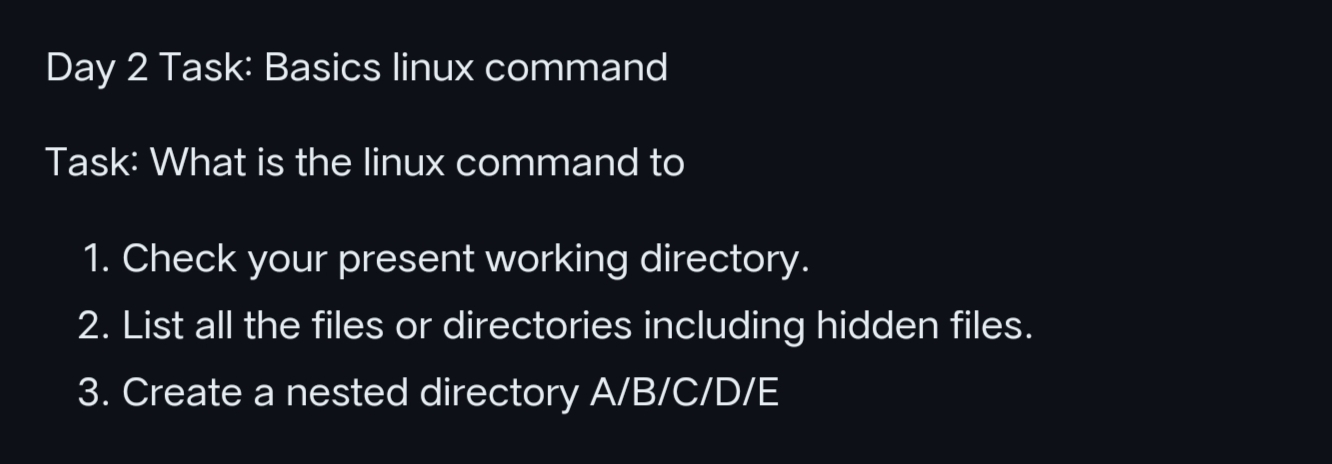
Day 2 TASK
• What is Linux?
LINUX is an open-source operating system (OS). It is based on UNIX. linux is know for security, stability, performance, flexibility, software updates, GUI like command line, networking, installation etc.
There are many different distributions (one type of versions), each with its own unique features and capabilities. That distributions like Ubuntu, CentOs, Red Hat, debian.
• To check present working directory.
The "pwd" (print working directory) command used to display the full path of current working directory.
$ pwd
/home/username
• To list all the files and directories including hidden files.
"ls" is a command that is used to list all content of directory like files.
"ls -la" command is used to list detailed information about files and directories, it shows hidden files and directories also.
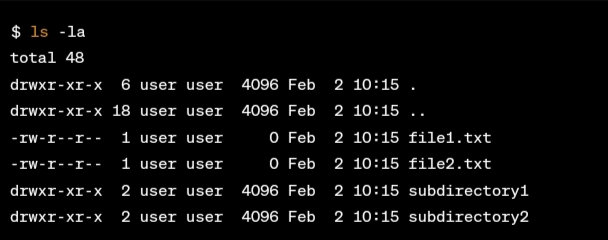
Detailed information like permissions, links, owner, group, size, modification time, and name.
• To create a nested directory A/B/C/D/E.
" mkdir -p A/B/C/D/E "
Using mkdir -p command to ensure that parent directories are created as needed.
$ mkdir -p A/B/C/D/E
_Wow! You are at the end, if it is helpful please do follow ➕ and like to support.💚
_Thank you for reading. 📖
_Jay


